 IMG HD / family-1950s.jpg


Scan or photograph the print
Scan it flat at 300 dpi, or photograph it straight on in soft daylight, with no glare.
Scan a family print, or use the small copy you have. IMG HD gives it back at twice the width and height, sharp enough to print again. Three photos a day are free.
A 6 × 4 inch print scanned at 300 dpi comes back at 3,600 pixels.
A flatbed scanner gives the best start. A phone photo of the print works too.
Scan it flat at 300 dpi, or photograph it straight on in soft daylight, with no glare.
The model rebuilds faces, edges and the texture of the paper at twice the size.
Compare each face with the original, then save the 2x file to print or share.
Why upscale an old print
A print that sat in a drawer for seventy years holds more than a small scan shows. The upscaler draws it back at twice the size: the faces, the folds of a dress, the writing over a doorway.
An upscaler gives an old photo more pixels and cleaner detail. It is not a full restoration: tears, stains and faded colour stay as they are.
Each face is a few dozen pixels in the scan. At 2x the eyes, glasses and hair are there to compare.
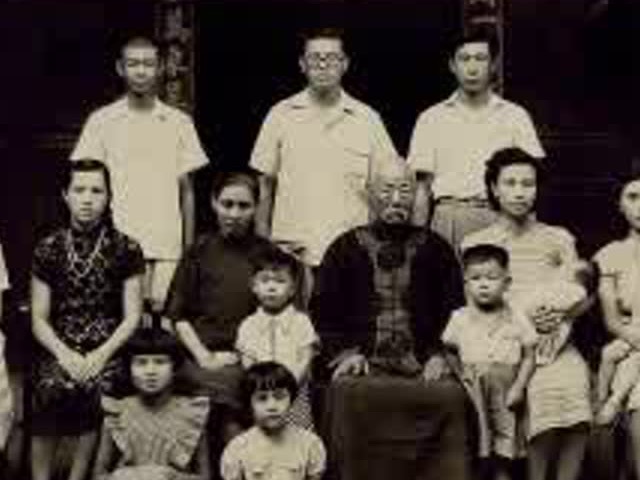
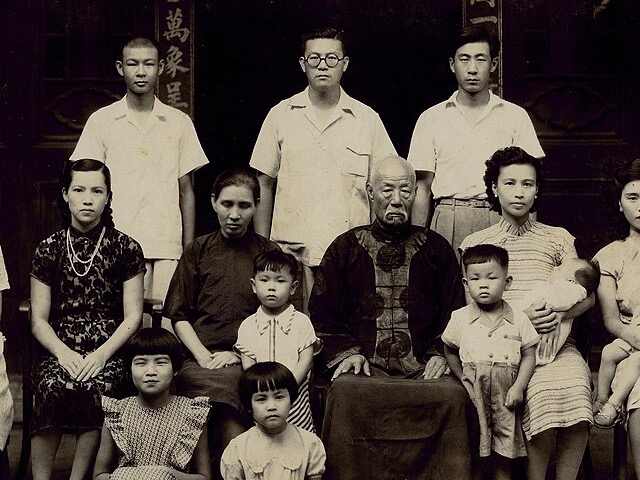
Scanning, faces, and what an upscaler leaves alone.
It sharpens and enlarges it. Scratches, tears and faded colour need a separate retouch, by hand or with a restoration tool.
Scan it flat at 300 dpi. A 6 × 4 inch print then comes in at 1,800 pixels, under the 2,048-pixel limit, and comes back at 3,600.
Small faces are rebuilt by prediction, so one can come back slightly different. Compare each face with the original before you print.
Yes. Three photos a day at 2x in the browser, with no account. The app, once it is out, adds 4x and whole albums.
Yes. Lay the print flat by a window and hold the phone straight above it, with no glare on the paper.